
Camera
Camera is a unique feature in Unbounded Cloud Video Editor. Click the icon as shown to add a camera to the timeline. The essence of a camera is to extract a part of a video clip and display it in the video to highlight key points or show special effects.
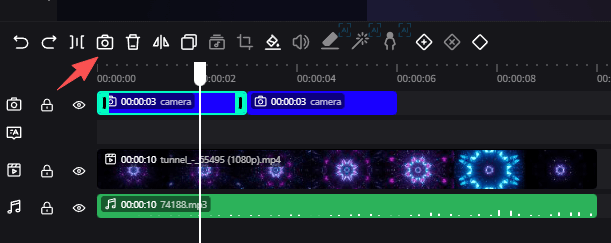
You can drag the camera on the canvas to adjust its position and size. When playing the video, the frame will be automatically cropped according to the camera position and size. You can quickly switch cameras when making task dialogues.
Here is an example of using cameras: in a "chicken talking to duck" scenario, add the first camera on the chicken, the second camera on the duck, and the third camera shows both the chicken and duck by default.