
Subtitles
Subtitles are a special track that floats above the video track and is used to display text in the video. Users can add, edit, and delete subtitles in the subtitle track.
Regular Subtitles
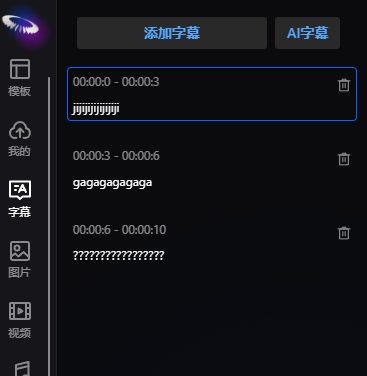
Click the Add Subtitle button to add a subtitle track at the current time node. Users can enter text in the subtitle track.
Insert/Merge Subtitles
When the mouse is placed between upper and lower subtitles, buttons for inserting/merging subtitles will appear. Users can click the button to insert the selected subtitle at the current time node, or merge the upper and lower subtitles into one subtitle.

AI Subtitles
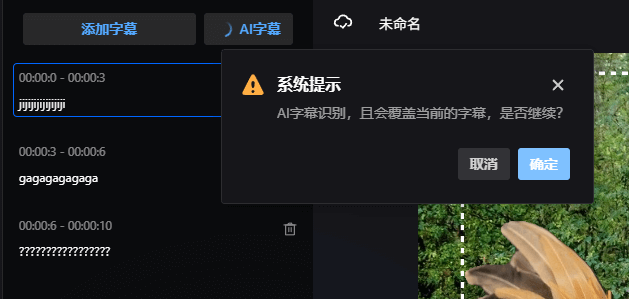
When there is audio in the track, users can click the AI Subtitle button to automatically recognize speech in the audio and add the recognition results as subtitles.
Subtitle Style Settings
Subtitle style settings support: font, text size, text stroke, text color (solid color, gradient color), bold, italic, alignment, letter spacing, line spacing, background color, coordinate position, text shadow, border radius, text margin, opacity, rotation angle, element animation, and text-by-text animation. Specific settings can be found in the Text description.
Special Notes
After setting any subtitle style, all subtitles will be set to the same style.
Clicking Enter in the subtitle track splits the subtitle, not wraps it. To wrap text, press Enter in the text on the right side.