
Stickers
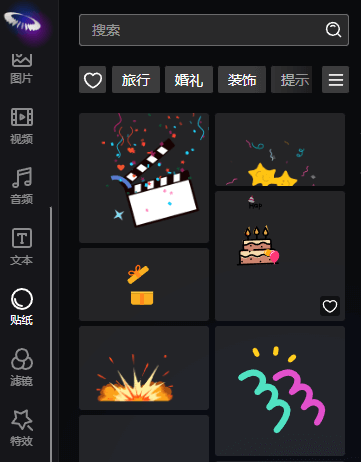
Stickers are essentially Lottie animations. Lottie is an open-source animation rendering library developed by Airbnb. It can parse JSON-format animation files exported from Adobe After Effects (via the Bodymovin plugin) and render these animations with high quality on various platforms (including Web, iOS, Android, React Native, etc.).
Features of Lottie animations:
- Small file size: Lottie uses JSON format to describe animations, which are usually much smaller than GIFs or videos, resulting in faster loading speeds.
- High-quality rendering: Animations are vector-based, so they can be scaled losslessly without appearing blurry on screens of different resolutions.
- Complex animation support: Supports most animation effects in After Effects, including shape transformations, masks, path animations, stroke animations, etc.
- Cross-platform compatibility: The same JSON file can be used on multiple platforms to maintain consistent animation effects.
- Excellent performance: Uses hardware-accelerated rendering for smooth animations.
- Easy integration: Lottie animations can be used in applications through simple API calls.
In Unbounded Cloud Video Editor, stickers use the Lottie animation format, which means they can contain rich dynamic effects while maintaining a small file size and good performance.
Lottie parameter settings
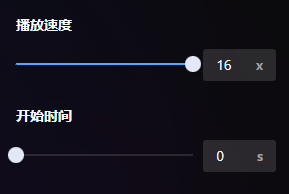
Stickers support playback speed (1-16x) and the relative start time of the original animation.
Alignment
Element alignment relative to the canvas.

From left to right: Left Align, Horizontal Center, Right Align, Top Align, Vertical Center, Bottom Align.
Position
The coordinate position of the element's center point relative to the canvas. The coordinate system has the canvas center as (0,0), with the X-axis positive to the right and the Y-axis positive downward.

Size
The size of the element on the canvas. The two buttons on the right side of the size setting can quickly restore the original size and scale to full screen. It should be noted that if the zoom size is not 1, the shortcut operation will not be able to fill the full screen.

Scale
The difference between scale and size is that scale can only scale proportionally, while size can customize width and height.

Opacity
The opacity of the element, ranging from 0-100%.

Rotation
The rotation angle of the element, with no size limit (frame animation can rotate at any angle).

Animation Settings
Refer to Image Animation Settings.
Filter Settings
Refer to Element Filter Settings.