
Export Video
This section demonstrates how to export videos on the client side.

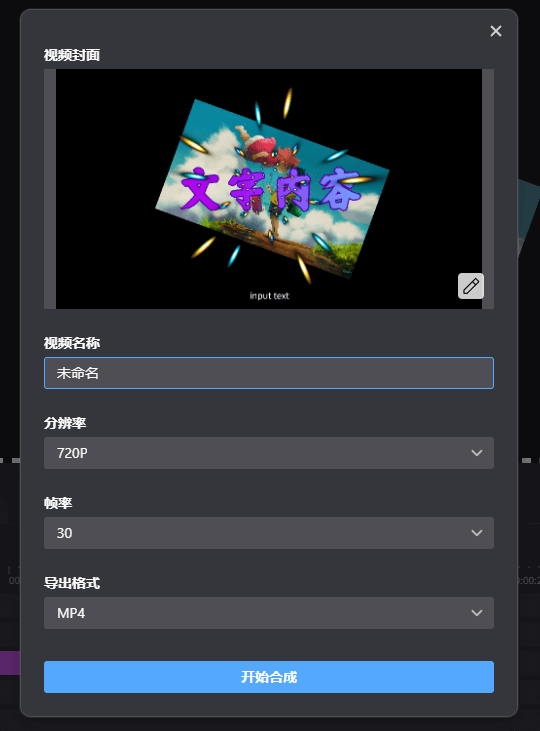
Click the export button to open the video export parameter configuration. Users need to manually capture a frame as the video cover, and other parameters can be configured according to needs. Supports exporting in MP4, MP3, and GIF formats.
Export Steps
- Click the export button to open the video export parameter configuration popup and configure the export parameters.
- Select the path to save the video.
- Wait for the video export to complete. Do not close the popup during the synthesis process, otherwise the export will fail.
